


What is ECUsafe?
ECUsafe is a ECU remapping software which enables yyou to edit flash files of different ECU to change its performance and its functions according to your needs ,it supports a huge cars ECU list. You can use it to disable /off / remove /delete /cleaner EGR and DPF/FAP system for cars and truck.
How to use ECUsafe EGR/DPF/FAP Removal Software
This article show a guide on how to use ECUsafe EGR and DPF/FAP removal software.
How to use ECUsafe :
1 - Run the ECUsafe software you will get below window :
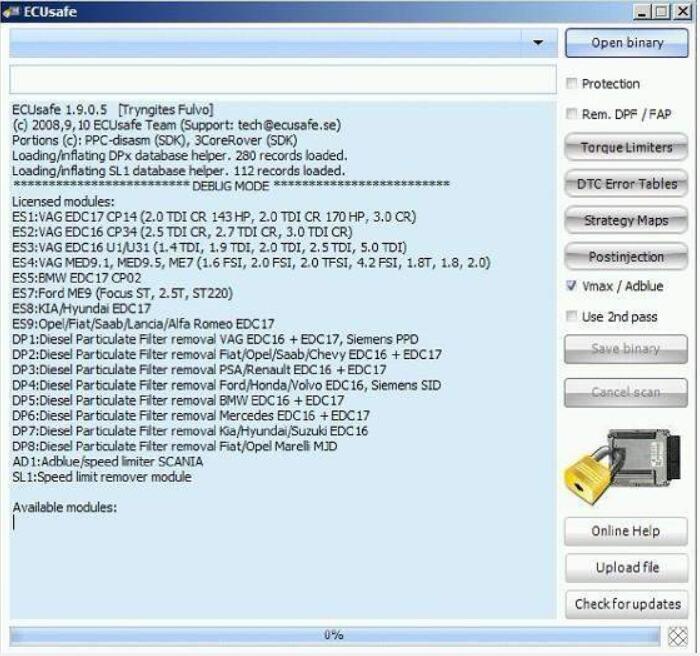
Information about licensed modules and database for DPF / FAP and speed limiters is presented.
2 - choose type of life open combo box .
Standard selection is any car speed limiter only as seeking for speed limiter does not need file type to be selected .In other cases (DPF / FAP removal and ant obd protection )exact car and ECU (ECM) group should be chosen .In this example we choose VAG Siemens PPD.
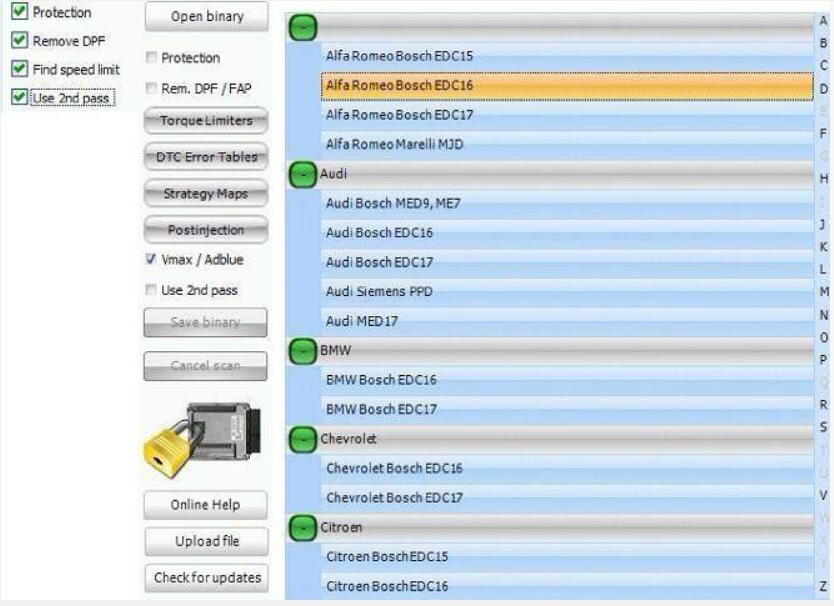
3 - Select options -checkboxes on the right side .
Protection select to scan for DFP / FAP structures and change hem .
Use 2nd pass - use additional heuristic pass trough data if first pass was unsuccesseful .
4 - Select binary obe processed open binary button.
after opening binary (" Open binary ") Ecu binary")ECUsafe starts to process it .
This ay take quite a ong time ,especially when use 2nd pass checkbox is checked .Progress will be visible on progress gauge.
In case of troubles you can switch off (by clicking appropriate button )some type of patches that may be applied by ECUsafe to your binary .When button is red that patch type wont be applied .Usually there is no need to do this .In case of strange behavoir (no power at all )try switching off .Torque limiters .IN case of too high Nox levels ,switch off "postinjection"removal .In case of diagnosis problems ,switch off "DTC errortable '.
Strategy Maps should be switched on anyway .
After ffinishing processing of file Save binary button will be enabled .Pressing it will open dialog where file can be named and saved . Cancel scan can stop scanning at any time .
By pressing "online help " button this manual will be invoked in your browser if file is unsuccessully scanned and you want it to be manually processed by us ,and it's structures to be added to ECUsafe database press Upload file "this inovok web form ,where user should give his e-mail and description check for updates button invokes update for database it tries to get newer databases (if available) if it inds new database it shows popup windows with information about newer databases otherwise closes without ny popup.
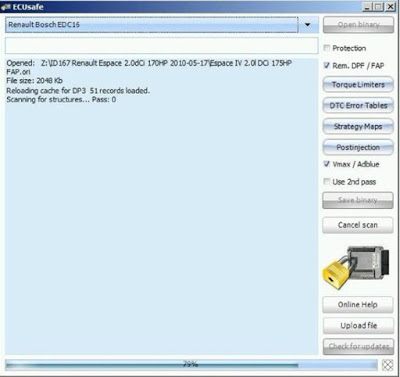
While processing file comments will be visible:
Ecu software number it found
structure that are found -here in this example PPD1.1L1 structure in DTC table responsible for particle filter pressure senor .
-after finishing of scan information about success of failure of scan will be show .
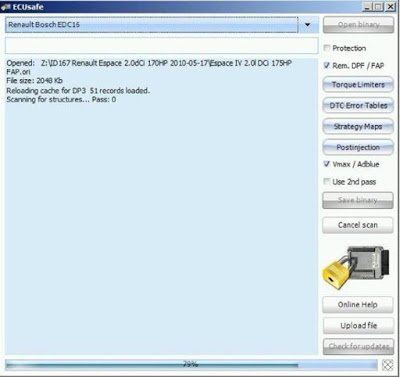
progress bar may go with various speed . when square indicator on the right of progress bar is gray checked empty or unimportant area is found and scan goes faster if it is pale yellow data is found and scan goes slower successfully .Otherwise it is red.
5 - Opening EEPROM file .
ECUsafy can automatically process EEPROM file (red in programmer or extracted with BDM tool)
In cases when even after removing FAP /DPF there is blinking lamp at dashboard this means that level of FAP at moment of removal over critical point -vary from car manufacturer to car manufacturer - Usually it is over 200% this value is stored in EEPROM an,d must be cleared (sset below threhold - EEPROM editor is edded to ECUsafe .Read Eeprom and open binary file in ECUsafe
Remember to choose proper brand of care and ECU type .point of Fap level stronge will be detected automatically .Set it to any low value (or zero) .Export file and program EEPROM with it .EEPROM checksum is calculated automatically .Blinking lamp will disappear .
Below you can see example of ECUsafe reaction to opening EEPROM file (notice that proper file type must be done .) Thise example is with Audi 3.0 TDI EDC16 EEPROM:
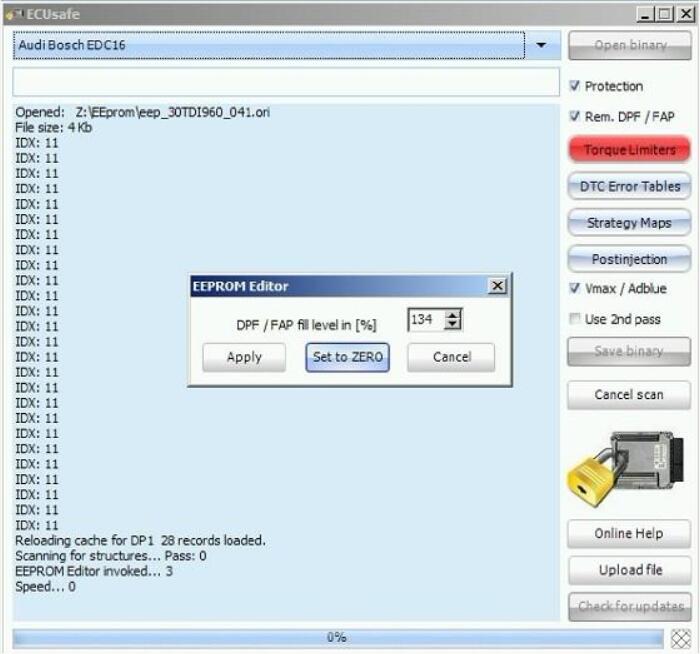
Usually you should set value to zero .checksum in EEPROM is updated automatically.
How to use ECUsafe ?
Open the Original ECU file that you want to modify select the brands car familly press the button Decode file and save the modified file .
Following modules can cover your car range:
ES1 - VAG EDC17 CP14 (2.0 TDI CR 143 HP, 2.0 TDI CR 170 HP, 3.0 CR).
All new Audi, Volkswagen, Skoda & Seat with TDI common rail engines (all types, all versions).
Most popular engines: 2.0 TDI 143 HP, 170 HP, 3.0 TDI 240 HP.
ES2 - VAG EDC16 CP34 (2.5 TDI CR, 2.7 TDI CR, 3.0 TDI CR)
All Audi, Volkswagen, Skoda & Seat with TDI common rail engines based on EDC16 ECU.
Most popular engines: Audi/VW Touareg 3.0 TDI, Audi 2.7 TDI 180 HP, VW Crafter.
ES3 - VAG EDC16 U1/U31 (1.4 TDI, 1.9 TDI, 2.0 TDI, 2.5 TDI, 5.0 TDI)
All Audi, Volkswagen, Skoda & Seat pump injectors (unit injectors) engines.
Most popular engines: 1.9 TDI 105 HP, 115 HP, 130 HP, 2.0 TDI 140 HP, 136 HP, 5.0 TDI 313 HP, 2.5 TDI R5 (all power versions including 102 HP, 130 HP, 174 HP)
ES4 - VAG MED9.1, MED9.5, ME7 (1.6 FSI, 2.0 FSI, 2.0 TFSI, 4.2 FSI
All Audi, Volkswagen, Skoda & Seat TFSI engines and FSI engines with MED9.x ECU.
Most popular engines: 2.0 TFSI 200 HP, 230 HP, 170 HP, 240 HP, 265 HP, 2.0 FSI 150 HP, 1.6 FSI, 4.2 FSI (including Porsche Cayenne). Includes ME7 protection (1.8T, 1.8, 2.0)
ES5 - BMW EDC17 CP02
Protects against OBD/CAN reading of Ford ME9.
Popular engines: Ford Focus ST, Mondeo ST, Mondeo 2.5T and other MED9 based engines from Ford
Download section, see bottom of this page


