


Device Driver Version : 6.4.3.4 (March 1, 2016)
PassThru DLL Software Version : 1.0.0.14
PDU API Version : 1.20.042
Firmware Version : 1.20.041 (Not 1.20.042)
===================== WARNING ======================
Use it on your own risk only for test purpose.
===================== WARNING ======================
1. Pre Installation
(1) Install Xentry PassThru and do all patches.
(2) (option) Install EDIC_PDU_API 1_20_42 driver.
====================================================
2. Installation
(1) Copy "Program Files (x86)\Softing\*" to your HDD "C:\Program Files (x86)\Softing\*"
(2) Copy "Program Data\D-PDU API" to your HDD "C:\Program Data\D-PDU API".
(3) Double click on "Softing_VAS5054A_PassThru_1_20_042.reg" and install it.
(4) Make a shortcut of "SftngCM.exe" on Desktop.
(5) Right click on "C:\Program Files (x86)\Softing\Edic Driver\win7\softingedic7_ntamd64.inf" and install.
(6) Connect the VAS5054A adapter using an USB cable. Connect it to a temporary power(pin 4 or 5 to ground, pin 16 to 12V DC) or OBD-2 port.
(7) Check "Control Panel/Devices Manager/Softing...". If not installed correctly, update the driver manually.
(8) Make a shortcut of "EDICConfig.exe" on Desktop.
(9) (option) If you have newer version than EDIC_PDU_API 1_20_42 driver and genuine VAS5054A hardware, you may install the API driver now.
====================================================
2. Post Installation
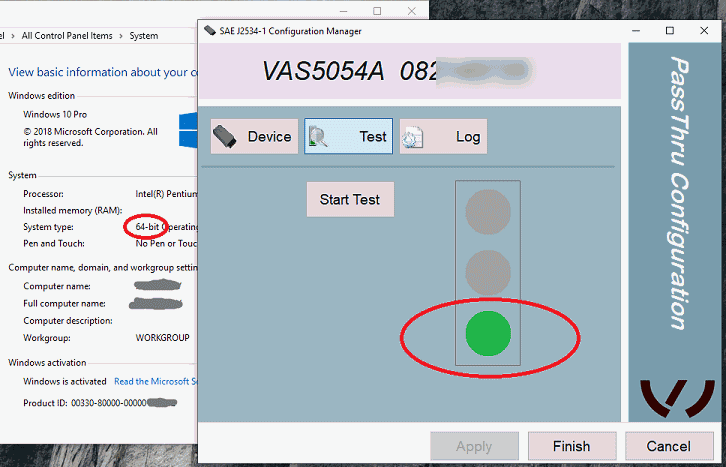
(1) Run "SftngCM.exe" as administrator and set it up & test.
====================================================
3. Tips
(1) ".NET Framework 2.0/3.0/3.5" needs to be installed if not installed automatically. You can install it by selecting on "Control Panel/Programs and Features/Turn Windows features on or off/.NET Framework 3.5(includes .NET 2.0 and 3.0)"
(2) If you installed newer version EDIC_PDU_API driver than 1.20.42, edit the *.reg and change the number 1_20_42 to your number (for example, "EDIC_D_PDU_API_1_20_042" to "EDIC_D_PDU_API_1_20_4XXXXX"). After editing, double click on it and install it again.
Section téléchargement, voir en bas de cette page


