


Download oracle virtualbox
https://www.virtualbox.org/wiki/Downloads
Volvo Tech Tool v1.12 Development + Devtol + Calterm
Download section, see bottom of this page
Install virtual box from https://www.virtualbox.org/wiki/Downloads
Install virtual box extension pack from https://www.virtualbox.org/wiki/Downloads
Open virtual box, choose FILE>IMPORT APPLIANCE
Then choose expert mode, choose ptt112.ova file.
Make sure "reinitialize mac address..." is unchecked.
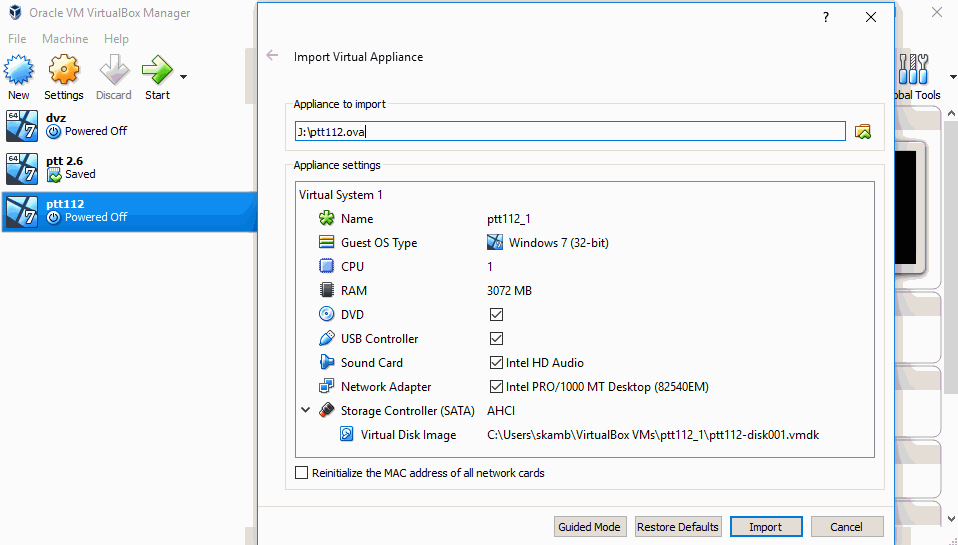
Choose import.
After that adjust virtual machine ram (should be 30-40% your total pc ram, Ive left 3072mb)
Sometimes visfed need to be reactivated, I left keygen C:/system


