


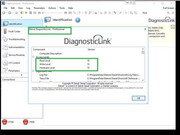
Detroit Diesel Diagnostic Link (DDDL 8.09) Professional 2019
if you have DDDL installed before, then uninstall it and delete folders
c:\ProgramData\Detroit Diesel\
c:\Program Files\DiagnosticLink\
Install DDDL 8.09 and SP2
1) Run GetHwid.exe tool, copy HWID
2) If you have KM: Run KM, paste HWID, input name and make lic key
3) Copy files into c:\Program Files\DiagnosticLink\ folder:
a. dddl.db (license file),
b. DDDLActivator.exe,
c. Run_DDDL.exe,
d. Drumroll.dll,
e. License.dll
4) Run activator (DDDLActivator.exe) with admin rights (RunAsAdmin)
5) In activator press "Activate" button to activate DDDL
6) StartRun_DDDL.exe to start DDDL. Always startRun_DDDL.exe instead of Drumroll.exe
7) (strongly recommend) After you run DDDL for the first time with the truck connected, close the program and repeat steps 4-5
Téléchargez les fichiers joints, voir en bas de cette page
Download the attached files, see at the bottom of this page
Vous êtes un visiteur? Comment s'inscrire sur ce forum
You are a visitor? How to register on this forum
Cliquez ici / Click here
 viewtopic.php?f=77&t=296


