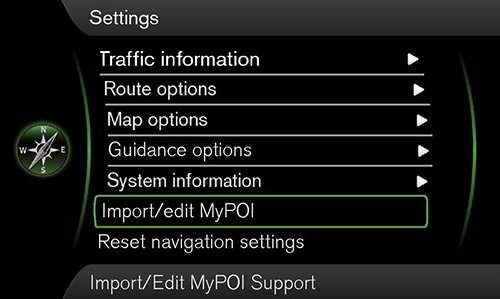
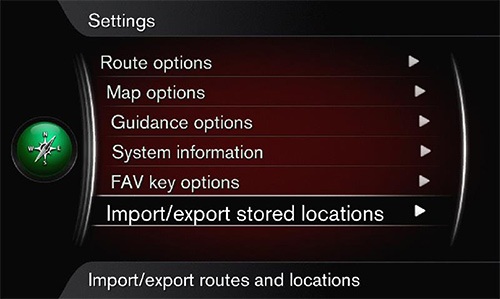
Supported devices:
Volvo
Sensus*RTI*RTI HDD**from Software version 0997
*Not compatible with Volvo Sensus (built 2014/2015).
Volvo Sensus Navigation with 9 inch touch screen is not supported, e.g.:
Volvo XC40 from MY2018
Volvo XC60 from MY2018
Volvo XC90 from MY2016
Volvo S60 from MY2019
Volvo S90 from MY2017
Volvo V60 from MY2019
Volvo V90 from MY2017
Download section, see bottom of this page
Display All Countries:
Algeria,Greece,Portugal,Andorra,Guatemala,Qatar,Argentina,Honduras,Romania,Armenia,Hong Kong,Russia,Australia,Hungary,Saudi Arabia,Austria,Iceland,Serbia,Bahrain,Iran,Singapore,Belarus,Ireland,Slovakia,Belgium,Israel,Slovenia,Belize,Italy,South Africa,Bosnia and Herzegovina,Jordan,South Korea,Brazil,Kuwait,Spain,Bulgaria,Latvia,Sweden,Canada,Liechtenstein,Switzerland,Chile,Lithuania,TTChina,Luxembourg,Taiwan,Croatia,Malaysia,Thailand,Cyprus,Malta,Tunisia,Czech Republic,Mauritius,Turkey,Denmark,Mexico,USA,EC,Mongolia,Ukraine,Estonia,Morocco,United Arab Emirates,Fiji,Namibia,Uruguay,Finland,Netherlands,Uzbekistan,France,New Zealand,Zambia,France DOM-ROM,Norway,Zimbabwe,Germany,Oman, Great Britain,Poland
1.Load latest database for Volvo Sensus form our website.
2.Save file volvo.zip onto your harddisk.
3.Unzip the file volvo.zip.
You get our database as GPX files.
4.Use an USB memory stick with maximum capacity of 4 GB (recommendation).
Reformat the USB stick as FAT32 (not: FAT or exFAT).
Do not use the quick format option.
Note: Reformat as FAT32 before using is strictly recommended.
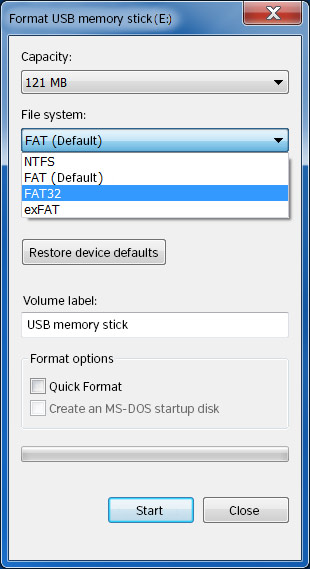
5.Copy and paste all unzipped GPX files into the root directory of your USB stick.
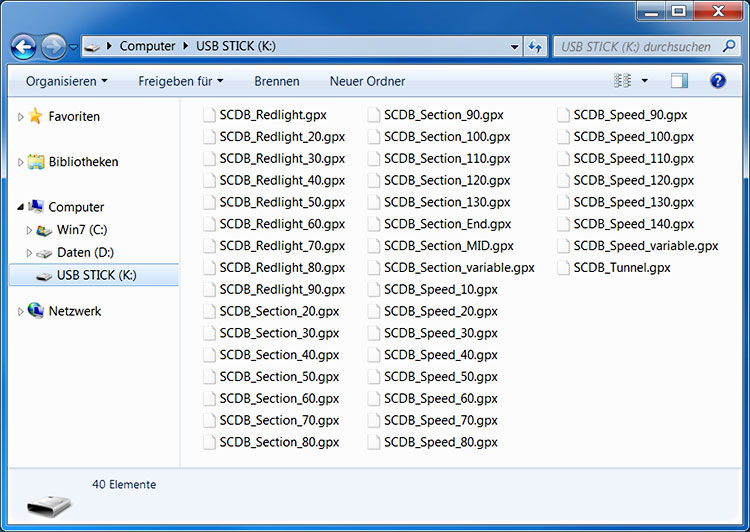
6.Start the engine of your Volvo and insert the USB stick.
7.Push Navigation KEY.
Go to Settings > Import/edit MyPOI or Settings > Import/export stored locations.