Important à lire absolument / Important must read

Nous vous informons que les inscriptions sont définitivement désactivées sur ce forum www.autohacking.net
* Pour toute nouvelle inscription, merci de vous inscrire sur le nouveau forum www.motorcarsoft.com
Cliquez ici pour vous inscrire à motorcarsoft.com Image https://www.motorcarsoft.com/viewtopic.php?f=77&t=296

We inform you that registrations are permanently disabled on this forum www.autohacking.net
* For any new registration, please register on the new forum www.motorcarsoft.com
Click here to register at motorcarsoft.com Image https://www.motorcarsoft.com/viewtopic.php?f=77&t=296

Opel EPC 4,25 2014 multilingue

Comment télécharger? How to download?
Cliquez ici / Click here Image viewtopic.php?f=77&t=1294
Règles du forum
Comment télécharger? How to download?
Cliquez ici / Click here Image viewtopic.php?f=77&t=1294
Répondre
Avatar du membre
rgmaster3
Capitaine Barberousse - Captain Redbeard
Messages : 9214
Enregistré le : ven. 29 sept. 2017 21:51
Localisation : Pirates Island.
    Windows 8.1 Chrome
Sexe :
Zodiaque : Taureau

Opel EPC 4,25 2014 multilingue

Message par rgmaster3 » mer. 4 sept. 2019 10:37

Image

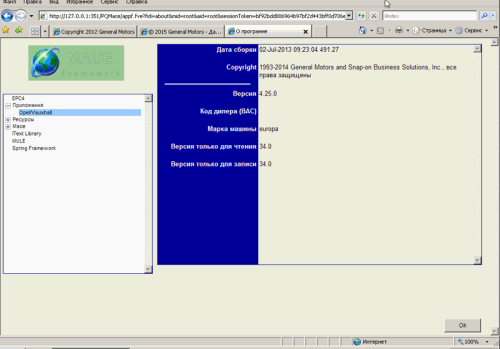
Année / Date de publication: 2014
Version: 4.25
Développeur: Snap-on Business Solutions, Inc
Langue d'interface: multilingue (le russe est présent)
Tabletka: Non requis
Description: Contient un catalogue de pièces de rechange et d’accessoires pour voitures, VUS et minibus de la société OPEL.

Installation:
1. Monter l'image de quelque manière que ce soit
2. Installez GMGInfrastructure\GMGInfrastructure.msi (version autonome)
3. Installez GMEApplication\GMEApplication.msi
4. Installez GMGLocalDB\GMGLocalDB.msi
5. Installez GMERomDB\GMERomDB.msi
6. Ouvrez le menu Démarrer-Exécuter cmd.exe
7. Allez à la racine du lecteur C: en tapant la commande "cd \" sans guillemets, mais avec un espace entre cd et \, la ligne ressemblera à C: \>
8. Exécutez trois commandes l'une après l'autre:
SET PATH="C:\Program Files\Snap-on Business Solutions\Global EPC\GM\jre1.6.0_02\bin";%PATH%
cd "C:\Program Files\Snap-on Business Solutions\Global EPC\GM\Configurator"
java -jar Configurator.jar
9. Redémarrez l'ordinateur
10. Ouvrez IE et entrez l'adresse Code:
http://127.0.0.1:351/PQMace/launcher.html ou http://127.0.0.1:351/PQMace

Section téléchargement, voir en bas de cette page

Télécharger-Download magnet.txt
Vous n’avez pas les permissions nécessaires pour voir les fichiers joints à ce message.


Barbaresques https://fr.wikipedia.org/wiki/Barbaresques

Image
Comment télécharger? / How to download ?
Image viewtopic.php?f=77&t=1294
Image
Recherche un programme par mots-clés / Search a program by keywords
Image search.php
Image
Comment s'enregistrer sur le forum ?
How to register on the forum ?
Image viewtopic.php?f=77&t=296
Image
Signaler un téléchargement ou une vidéo corrompu
Report a corrupted download or video
Image posting.php?mode=post&f=125

Répondre

Retourner vers « Multimarques / Logiciels »